
AI Video Editing Workflows for 2026:
Cutting Your Editing Time by 80%
Leverage AI to create professional video content faster, easier, and with stunning results. Ideal for creators, freelancers, and small businesses.
By DigitalSavvyHQ Team | October 26, 2026
The Dawn of Hyper-Efficient Video Creation
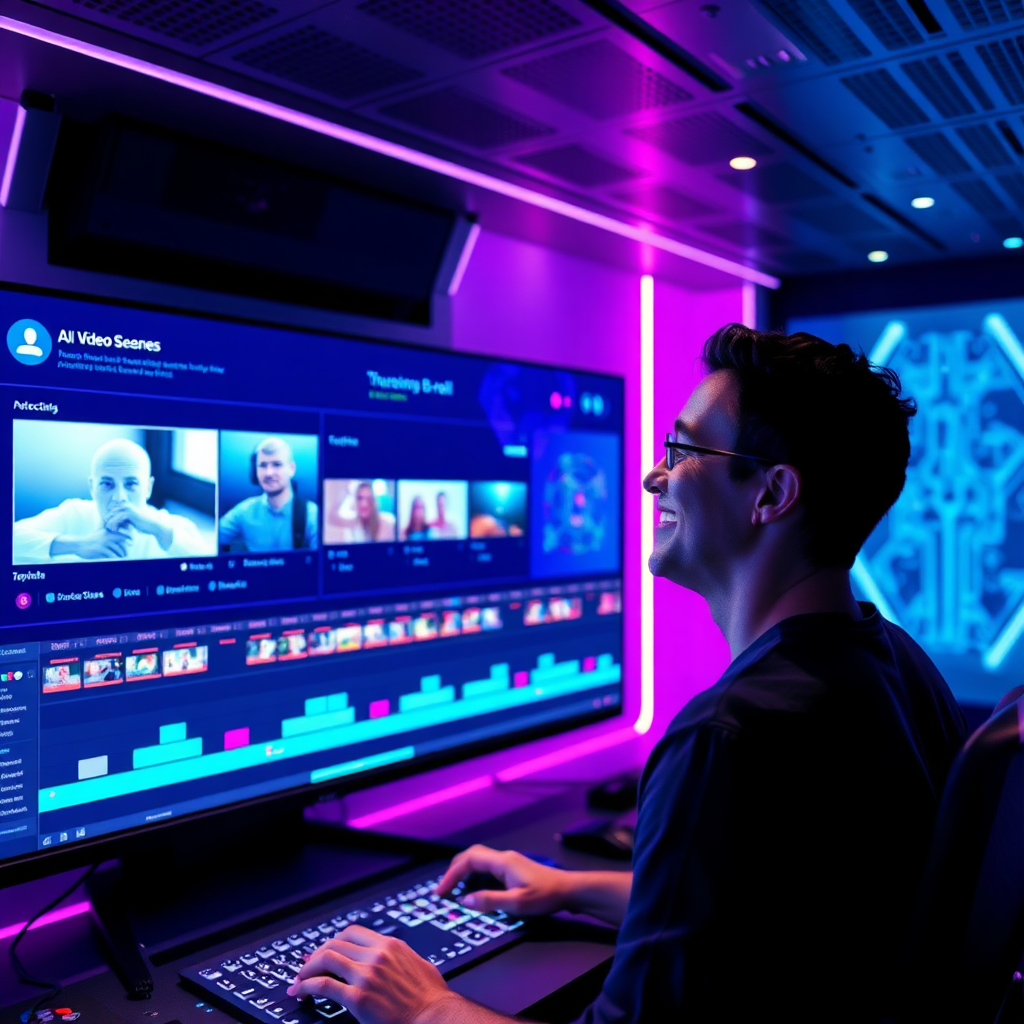
In 2026, the landscape of video content creation has been utterly transformed. What once required hours, if not days, of meticulous editing can now be condensed into a fraction of the time, all thanks to the relentless evolution of Artificial Intelligence. If you're a creator, freelancer, solopreneur, or a small business owner aiming for professional-grade video content without the hefty time investment, you've landed in the right place.
The promise isn't just incremental improvement; it's a revolutionary shift. We're talking about cutting your video editing time by a staggering 80%. This isn't science fiction anymore; it's the new reality for anyone willing to embrace AI-powered workflows. From generating your initial script to producing multi-platform-ready final cuts, AI tools are becoming indispensable partners in the creative process, accelerating your output while maintaining, and often enhancing, quality.
This article will demystify the most impactful AI video editing tools and techniques available today, guiding you through practical workflows, highlighting common pitfalls, and showcasing real-world productivity gains. Get ready to reclaim your time and unleash your creative potential like never before.
How AI is Reshaping the Entire Video Production Pipeline
AI isn't just a fancy filter; it's an intelligent co-pilot integrated into every stage of video production. It handles the repetitive, time-consuming tasks, freeing you to focus on the narrative and creative vision. Here's a glimpse into how AI transforms traditional editing workflows:
-
Pre-Production Acceleration
From initial brainstorming and script generation to detailed storyboarding and shot list creation, AI rapidly prototypes your creative vision, ensuring a solid foundation before you even press record.
-
Smart Asset Management
AI automatically tags, categorizes, and transcribes your raw footage, making it instantly searchable. No more sifting through hours of clips to find that one perfect moment.
-
Automated First Cuts & Optimizations
AI can generate a rough cut, identify and remove filler words, auto-enhance audio, and even suggest optimal pacing and transitions, all within minutes.
-
Effortless Multi-Platform Repurposing
Once your master video is complete, AI can automatically adjust aspect ratios, re-edit for different social media platforms, and generate platform-specific captions and intros, dramatically expanding your reach.
Key AI Features Revolutionizing Video Editing
AI-Assisted Scripting & Storyboarding
Generate script outlines, dialogue, and scene descriptions in minutes. AI helps refine ideas, structure narratives, and even suggest visual elements for your storyboard.
Intelligent Scene Detection & Automated Clipping
AI automatically identifies key moments, speaker changes, emotional beats, and removes filler words, creating a precise rough cut that's 80% ready.
AI-Powered B-roll & Stock Generation
Describe the visuals you need, and AI generates custom B-roll, intros, outros, or finds the perfect stock footage to match your script and tone.
Instant Captions & Subtitles
Automatic, highly accurate transcription and subtitle generation in multiple languages, ensuring accessibility and wider audience reach.
Voice Enhancement & Narration Cloning
Clean up muddy audio, remove background noise, or even clone your voice to generate natural-sounding narrations from text.
AI Avatar Creation & Integration
Create realistic AI avatars to present explainer videos, product updates, or news, adding a professional touch without needing a human presenter.
Multi-Platform Repurposing
Automatically refactor your video into various formats and aspect ratios (e.g., vertical for Reels, square for Instagram, horizontal for YouTube) with tailored edits for each platform.
Automated Color Grading & Effects
AI analyzes your footage and applies consistent, professional color grades, visual effects, and stylistic adjustments to enhance mood and aesthetic.
AI-Generated Music & Sound Effects
Describe the mood or genre you need, and AI composes original royalty-free background music or generates sound effects to elevate your video's impact.
Your AI-Powered Video Editing Workflow: Step-by-Step
Let's walk through a practical workflow for creating a short explainer video, demonstrating how AI streamlines each step.
-
1 AI-Assisted Script & Concept Generation
Tool: Large Language Model (LLM) like ChatGPT or Google Gemini, or dedicated AI script generators.
Process: Provide a prompt detailing your video's purpose, target audience, key message, and desired tone. Ask the AI to generate multiple script variations, scene breakdowns, and even suggest visual metaphors. Refine the output with follow-up prompts until you have a solid, engaging script.
-
2 Intelligent Footage Ingestion & Analysis
Tool: AI video editor (e.g., Descript, Adobe Premiere Pro with AI plugins).
Process: Upload all your raw footage. The AI automatically transcribes speech, identifies speakers, detects scene changes, categorizes clips by content (e.g., close-up, wide shot), and flags any technical issues like poor lighting or audio. This creates a searchable, organized library of your assets.
-
3 Automated First Draft & Rough Cut
Tool: AI video editor.
Process: Input your refined script. The AI then matches script segments to the relevant parts of your transcribed footage, cutting out pauses, filler words, and assembling a coherent first draft. This initial cut can be 60-80% complete, requiring minimal manual adjustment for pacing and flow.
-
4 Dynamic B-roll & Visual Enhancement
Tool: AI image/video generators (e.g., RunwayML, Midjourney for stills, text-to-video platforms).
Process: Based on gaps in your primary footage or specific script cues, use AI to generate stunning custom B-roll, motion graphics, or visual effects. Simply describe what you need ("futuristic city skyline," "person typing on laptop in cafe") and integrate the generated assets seamlessly. AI can also suggest optimal color grading and apply it consistently.
-
5 Automated Audio Sweetening & Captions
Tool: AI audio enhancement tools, AI video editor.
Process: AI processes your audio to remove background noise, optimize voice levels, and apply professional equalization. Simultaneously, it generates accurate captions and subtitles in multiple languages, ready for quick review and export. You can also generate an AI voiceover from your script if needed.
-
6 Human Review & Creative Polish
Tool: Your favorite video editor with AI integrations.
Process: This is where your human touch shines. Review the AI-generated edit for storytelling impact, fine-tune transitions, adjust pacing for emotional resonance, and ensure brand consistency. AI handles the heavy lifting, but your creative discernment elevates it to a masterpiece.
-
7 Multi-Platform Output & Optimization
Tool: AI video editor, social media scheduling tools with AI features.
Process: With your final master video, instruct AI to create optimized versions for YouTube (16:9), Instagram Reels/TikTok (9:16 vertical), and LinkedIn (1:1 square). AI handles aspect ratio adjustments, re-framing, and even shortens clips to meet platform-specific best practices.
Avoid These Common AI Video Editing Pitfalls
While AI offers incredible advantages, it's crucial to navigate its use wisely to truly maximize your efficiency and output quality.
-
Over-Reliance & Loss of Human Touch
Don't let AI completely dictate your creative vision. It's a tool to assist, not replace, your unique storytelling. Always review and inject your personal flair.
-
Poor Prompt Engineering
Garbage in, garbage out. The quality of AI-generated content (scripts, B-roll, edits) heavily depends on clear, specific, and detailed prompts. Invest time in learning effective prompt techniques.
-
Neglecting Quality Source Footage
AI can enhance, but it can't magically fix fundamentally poor raw footage. Start with good quality video and audio to give AI the best material to work with.
-
Ignoring Copyright & Licensing for AI-Generated Assets
Always check the terms of service for AI tools when generating music, images, or video clips. Ensure you have proper rights for commercial use, especially if using a public model.
-
Not Iterating & Experimenting
AI tools are constantly evolving. What didn't work last month might be cutting-edge today. Continuously experiment with new features and workflows to find what works best for you.
Real-World Productivity Gains & Use Cases
Don't just take our word for it. Here's how different professionals are leveraging AI to supercharge their video output:

Freelance Video Editor: 3x Project Capacity
"Before AI, I could realistically take on 2-3 client projects a month. Now, with AI handling the initial cuts, transcription, and B-roll sourcing, I'm consistently delivering 6-8 projects with higher quality. My income has soared, and I still have more free time."
– Sarah L., Freelance Video Producer

Small Business Owner: Daily Social Video Content
"Running a small e-commerce brand means constant content. AI has enabled us to produce 3-5 short social media videos daily, personalized for different platforms. This was unimaginable previously, and our engagement metrics have skyrocketed."
– Mark D., Founder of Artisan Goods Co.
Online Course Creator: Launching Modules Faster
"My course material requires extensive video tutorials. AI handles all the transcription for captions, auto-generates summaries, and even helps with re-editing longer lessons into shorter, digestible clips for promotion. I can launch new modules in half the time."
– Emily R., Digital Marketing Educator
Leading AI Video Editing Tools Comparison (2026 Snapshot)
The market is dynamic, but these tools represent the current top contenders, each with unique strengths.
| Tool Name | Key AI Features | Best For | Pricing Model | Ease of Use |
|---|---|---|---|---|
| DigitalCut Pro | Automated rough cuts, transcription, filler word removal, basic B-roll generation. | Podcasters, YouTubers, content creators needing fast talking-head edits. | Free tier, Monthly Subscription ($29/month) | Very High (Beginner-friendly) |
| PixelFlow Studio | Advanced AI avatar creation, voice cloning, text-to-video scene generation, multi-platform repurposing. | Businesses creating explainer videos, marketing agencies, online educators. | Tiered Subscription ($49 - $199/month) | Medium (Some learning curve) |
| StoryForge AI | AI script doctor, emotional tone analysis, automated music selection, dynamic sound effects. | Filmmakers, storytellers, brand marketers focused on narrative depth. | Project-based pricing, Premium Subscription ($79/month) | Medium (Creative input required) |
| EchoVisuals | Real-time collaboration, AI motion tracking, automated color correction, advanced object removal. | Professional studios, collaborative teams, post-production houses. | Enterprise Custom Pricing, Pro Subscription ($149/month) | High (Professional-grade) |
| ClipGenius | Short-form content optimization, trend detection, viral hook suggestions, automatic chapter markers. | Social media managers, TikTok/Reels creators, viral content strategists. | Free tier, Monthly Subscription ($19/month) | Very High (Mobile & web friendly) |
Actionable Tips for Integrating AI into Your Workflow
Ready to jump in? Here are practical tips to ensure a smooth transition and maximize your AI benefits.
Start Small, Learn Fast
Don't try to overhaul your entire workflow at once. Pick one AI tool or feature (e.g., transcription) and master it before expanding.
Embrace Iterative Editing
Treat AI's output as a strong first draft. It's meant to get you 80% there, leaving you to focus on the crucial 20% creative refinement.
Master Prompt Engineering
The better your prompts, the better AI's results. Spend time learning how to articulate your creative needs clearly and precisely.
Focus on Your Story
AI frees up time, so use it to enhance your narrative. A compelling story, not just perfect edits, is what truly engages your audience.
Stay Updated with New Tools
The AI landscape is rapidly evolving. Follow industry news, subscribe to newsletters, and regularly explore new tools and features.
Backup and Version Control
As with any digital workflow, always back up your original assets and maintain version control of your projects, especially when integrating new AI processes.
Frequently Asked Questions About AI Video Editing
We address some of the most common concerns and questions around integrating AI into your video production.
Is AI going to replace human video editors?
No, AI is unlikely to replace human creativity entirely. Instead, it acts as a powerful assistant, automating tedious and repetitive tasks. This frees up human editors to focus on higher-level creative decisions, storytelling, emotional pacing, and delivering a truly unique vision that AI currently cannot replicate. It's an augmentation, not a replacement.
What kind of videos can AI effectively edit?
AI excels at editing content with clear structures or repetitive elements, such as talking-head videos, webinars, podcasts, short social media clips, explainer videos, vlogs, and corporate training materials. It's also increasingly capable with more complex narratives by handling initial cuts, color grading, and asset generation.
How much do AI video editing tools cost?
Pricing varies widely. Many tools offer free tiers with limited features, while others are subscription-based, ranging from $10-$20/month for basic tools up to $100-$200+/month for professional, all-in-one solutions with advanced AI capabilities. Some high-end tools might also offer project-based pricing or custom enterprise plans.
Do I need technical skills to use AI video editors?
Most beginner-friendly AI video editors are designed with intuitive interfaces, requiring minimal technical expertise. If you can use a word processor or basic presentation software, you can likely learn to navigate these tools. More advanced features may require a steeper learning curve, but the core functionalities are highly accessible.
AI: Your Co-Pilot, Not Your Replacement
The future of video editing isn't about AI replacing humans; it's about AI empowering us to achieve more with less effort. By embracing AI video editing workflows in 2026, you're not just saving time—you're unlocking unprecedented levels of productivity and creative freedom. Imagine delivering more projects, experimenting with new content formats, and focusing on the core storytelling that truly resonates with your audience.
For creators, freelancers, and small business owners, this means transforming a daunting, time-intensive task into an efficient, enjoyable part of your content strategy. The 80% time saving isn't a hyperbolic claim; it's a tangible reality achievable with the right tools and approach.
DigitalSavvyHQ is committed to guiding you through this exciting new era. Start experimenting with these tools, refine your prompts, and watch as AI accelerates your journey to becoming a prolific and impactful video creator. The power to tell your story, faster and better than ever before, is now firmly in your hands.