
Introduction: Taming the Deluge of Information
In today's fast-paced digital world, creators, freelancers, and entrepreneurs are constantly bombarded with information. From groundbreaking articles and insightful podcasts to client notes, project requirements, and innovative business strategies, the sheer volume can be overwhelming. This constant influx often leads to what many call "information overload," where valuable insights get lost in the noise, hindering productivity and creative flow. The promise of the digital age – access to endless knowledge – can quickly become its biggest curse if not managed effectively.
This is where the concept of a "second brain" comes into play. Coined by Tiago Forte, a second brain is a trusted, external system for organizing your knowledge, ideas, and information so you can retrieve and use them when needed. It’s not just storage; it’s an extension of your mind, designed to free up your mental energy for deep work and creative problem-solving. Traditionally, building a robust second brain has been a labor-intensive process. However, with the advent of artificial intelligence, this crucial task has become not only easier but exponentially more powerful.
This article will guide you through building an AI-powered second brain using Notion, a flexible workspace that integrates seamlessly with AI. We’ll explore how AI transforms raw information into actionable insights, covering everything from note capture and content organization to advanced summarization, intelligent tagging, efficient knowledge retrieval, and workflow automation. Whether you're a seasoned Notion user or a complete beginner, you'll discover a practical, step-by-step framework to harness the power of AI and revolutionize how you manage your knowledge, turning information overload into a wellspring of innovation and productivity.
The Core Components of an AI-Powered Second Brain
A truly effective second brain isn't just a collection of notes; it's a dynamic system designed for growth and utility. Integrating AI into this system elevates its capabilities, making it more intuitive and powerful. Let's break down the essential components:
1. Effortless Note Capture
The first step to a functional second brain is a frictionless capture system. Ideas, insights, and critical information can strike at any moment. Your second brain must provide a quick, accessible way to jot down thoughts, clip web pages, save articles, or record voice memos. The goal is to get information out of your head and into a trusted system as quickly as possible, preventing mental clutter and the loss of valuable ideas. AI can assist here by intelligently processing raw inputs, suggesting categorizations, or even cleaning up unstructured notes upon capture.
2. Intelligent Content Organization
Once captured, information needs to be organized in a way that makes sense and supports easy retrieval. This goes beyond simple folders. An AI-powered second brain leverages databases, linked pages, and hierarchical structures within a flexible tool like Notion. AI algorithms can analyze the content of your notes, suggest relevant connections, automatically categorize similar items, and even flag redundant information, ensuring your knowledge base remains clean and coherent without constant manual oversight.
3. AI Summarization and Extraction
Perhaps one of the most transformative roles of AI in a second brain is its ability to distill vast amounts of information. Instead of rereading lengthy articles or meeting transcripts, AI can instantly generate concise summaries, extract key takeaways, identify action items, and pull out crucial data points. This not only saves immense time but also ensures that you grasp the core essence of any piece of content rapidly, transforming raw data into digestible, actionable knowledge.
4. Dynamic Tagging Systems
Tags are critical for cross-referencing and discovering related information. However, manual tagging can be inconsistent and time-consuming. AI can revolutionize this component by intelligently suggesting or even automatically applying relevant tags based on the content, context, and even your past tagging habits. This ensures a consistent and comprehensive tagging system, making your entire knowledge base far more navigable and interconnected.
5. Powerful Knowledge Retrieval
The true value of a second brain lies in its ability to quickly provide the right information at the right time. With AI, knowledge retrieval goes beyond keyword search. AI-powered search can understand natural language queries, infer intent, and surface not just exact matches but conceptually related information. Imagine asking your second brain, "What are my best ideas for content marketing strategies for a SaaS startup?" and getting a curated list of notes, summaries, and related projects – that's the power of AI in retrieval.
6. Integrated Project Management
Knowledge is only as valuable as its application. An effective second brain should seamlessly connect your stored information to your ongoing projects and tasks. Within Notion, this means linking research notes to project pages, client briefs to communication logs, or creative ideas to content calendars. AI can further enhance this by suggesting relevant knowledge for current tasks, identifying potential roadblocks based on past project data, or even helping draft initial project outlines based on your accumulated insights.7. Curated Learning Repositories
Beyond individual notes and projects, a second brain also serves as a repository for continuous learning. This includes curating courses, tutorials, frameworks, and skill development resources. AI can help personalize this by recommending learning paths based on your current knowledge gaps or career goals, summarizing lengthy courses, and even generating practice questions or flashcards from your learning materials.
8. Workflow Automation
The final layer of an AI-powered second brain involves automating repetitive tasks. This can range from automatically routing new notes to specific databases, setting up reminders for review, or triggering follow-up actions based on extracted information. Tools like Zapier or Make, combined with Notion's API and AI, can create powerful automated workflows that reduce manual effort and ensure your system stays organized and active with minimal intervention.
Building Your Beginner-Friendly Notion Second Brain Setup
Notion's flexibility makes it the ideal canvas for your second brain. Here's a beginner-friendly framework to get you started, focusing on key databases and structures:
The PARA Method as a Foundation
We recommend starting with the P.A.R.A. (Projects, Areas, Resources, Archives) method by Tiago Forte. This provides a clear, logical structure:
- Projects: Short-term endeavors with a specific goal and deadline (e.g., "Launch New Website," "Write Blog Post X").
- Areas: Long-term responsibilities or domains you want to manage over time, without a deadline (e.g., "Health," "Finances," "Content Creation").
- Resources: Topics or interests you want to learn about and refer to, but aren't tied to a specific project or area (e.g., "AI Trends," "Marketing Strategies," "Book Summaries").
- Archives: Inactive items from the above categories that you might need to reference later.
Essential Notion Databases:
At the heart of your Notion second brain are databases. Here are the core ones you'll need, along with their key properties:
-
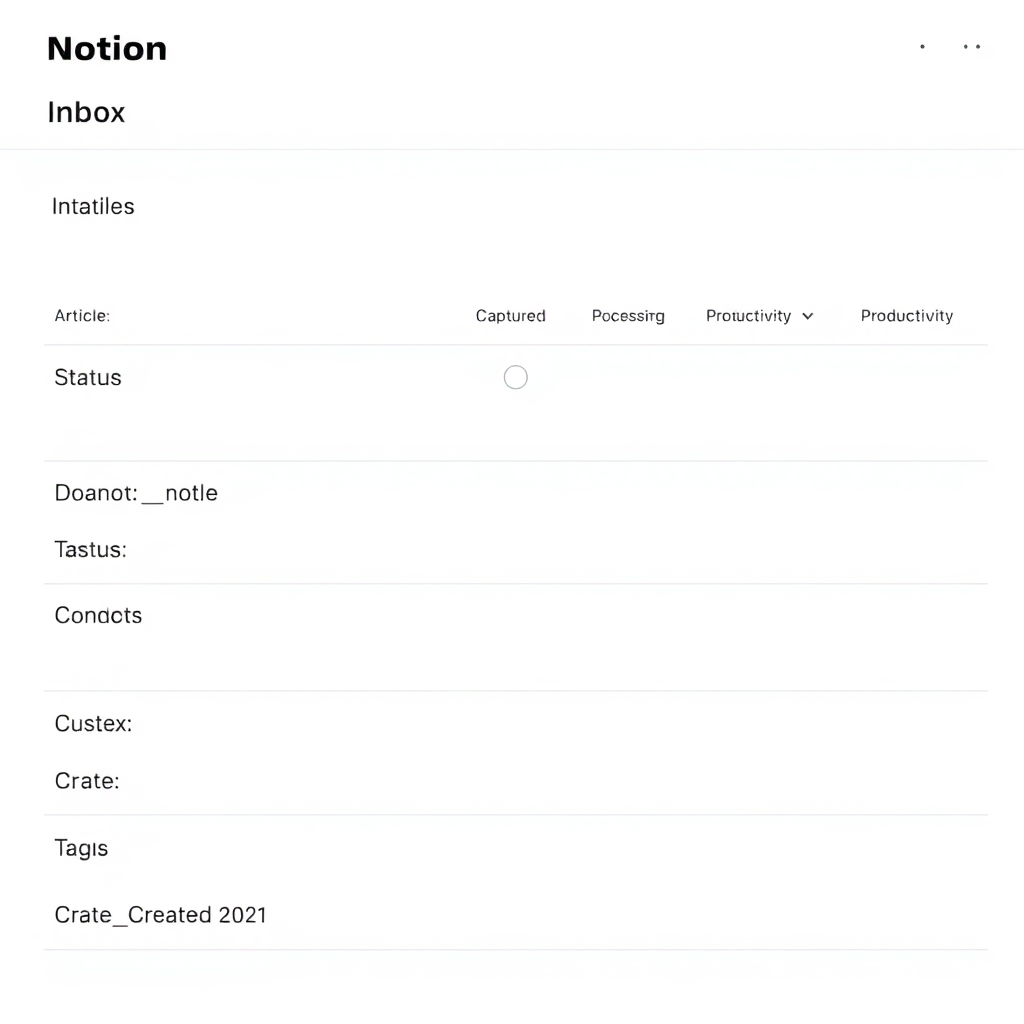
Inbox (Database): Your primary capture hub.
- Properties: Name, Type (Article, Idea, Meeting Note, Book, Web Clip), Status (Captured, Processed, Archived), Tags, Date Created.
- Purpose: Quick capture. Everything starts here. Once processed, it moves to Projects, Areas, or Resources.
-
Notes & Ideas (Database): Your central repository for thoughts, brainstorms, and general notes.
- Properties: Name, Type (Idea, Insight, Brainstorm, Quick Note), Related To (relation to Projects/Areas/Resources), Tags, Status (Draft, Refined, Completed).
- Purpose: Develop and connect your thoughts.
-
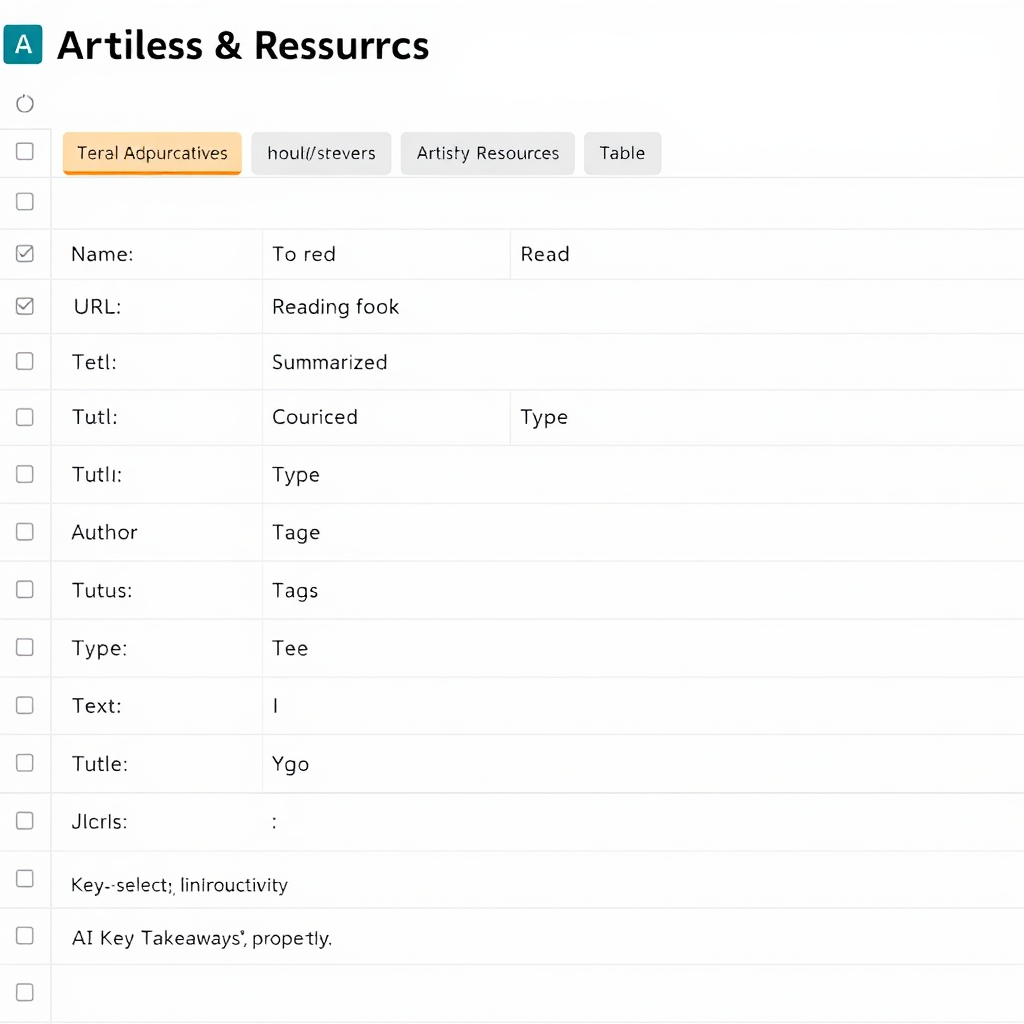
Articles & Resources (Database): For web clips, book summaries, course notes, and research.
- Properties: Name, URL (if applicable), Type (Article, Book, Course, Video), Author, Status (To Read, Reading, Read, Summarized), Key Takeaways (text/AI generated), Related To (relation to Projects/Areas/Resources), Tags.
- Purpose: Curate and process external information.
-
Projects (Database): To manage your active tasks and larger initiatives.
- Properties: Name, Status (Not Started, In Progress, Completed), Deadline, Priority, Related Notes (relation to Notes & Ideas), Related Resources (relation to Articles & Resources), Tasks (relation to a separate Tasks database).
- Purpose: Execute and track your work, directly linking to relevant knowledge.
-
People (Database): To track contacts, meeting notes, and interactions.
- Properties: Name, Company, Role, Last Contact, Notes (relation to Notes & Ideas for meeting notes), Key Relationships.
- Purpose: Manage your professional network and interactions.
Tip: Create a main dashboard page in Notion that links to all these databases for easy navigation. Start simple, then gradually add more properties and relations as your needs evolve.
AI Integration: Summarization, Tagging, and Insights
This is where your second brain truly becomes intelligent. AI can perform tasks that would be tedious or impossible for a human, turning your knowledge base into a dynamic, responsive entity. Notion AI is built-in and a great starting point, but you can also integrate external AI tools for more specialized tasks.
AI Summarization: Distilling Information
The ability to quickly grasp the essence of any document is a game-changer. Imagine dropping a 50-page report into Notion and getting a bulleted summary in seconds. Here are some prompt examples:
AI Summarization Prompts:
"Summarize this article into 5 bullet points, focusing on key takeaways for entrepreneurs."
"Extract the 3 most important action items from these meeting notes."
"Condense this entire document into a short paragraph explaining the core concept, then list 3 potential applications."
You can use Notion AI's 'Summarize' feature directly on a page or highlight text and ask it questions. For more advanced summarization or specific formats, you might use tools like ChatGPT or Claude and then paste the output into your Notion page.
AI for Tagging and Categorization
Consistent tagging is crucial for retrieval. AI can help enforce this consistency:
AI Tagging & Categorization Prompts:
"Based on the content of this note, suggest 3-5 relevant tags from the following list: [list of your common tags like 'AI Tools', 'Marketing Strategy', 'Productivity', 'Client Management']." (Use a multi-select property in Notion)
"Identify the primary topic of this article and suggest a suitable category: [list of your categories like 'AI Research', 'Growth Hacking', 'Personal Development']." (Use a select property)
"Analyze the key entities and concepts in this text. What are the most important keywords I should use for search?"
You can also use AI within Notion database properties to auto-generate tags or summaries based on the page content, saving significant manual effort.
AI for Knowledge Retrieval and Synthesis
Beyond simple summaries, AI can help you synthesize information across multiple notes and generate new insights.
AI Retrieval & Synthesis Prompts:
"Given these 3 articles on 'AI ethics,' what are the common themes and conflicting viewpoints?" (Paste article summaries or full text)
"Based on my notes related to 'client feedback' and 'product development,' what are 3 concrete improvements I can make to our service offering?"
"I need to write a blog post about the benefits of a second brain for freelancers. Using my notes on 'productivity' and 'knowledge management,' generate an outline and 3 key arguments."
This is where the magic happens. Your second brain moves from a passive storage unit to an active partner in your creative and strategic processes. By prompting AI with specific questions or tasks that draw upon your curated knowledge, you unlock insights that would be difficult or time-consuming to find manually.
Workflow Automation: Streamlining Your Second Brain
Manual effort is the enemy of consistency. Automating aspects of your second brain ensures it runs smoothly and stays organized without constant intervention. While Notion has its own automation features, integrating with tools like Zapier or Make (formerly Integromat) unlocks even greater power.
Automated Capture: Never Miss an Idea
Imagine automatically sending web articles, emails, or even voice notes directly into your Notion Inbox, ready for processing.
- Web Clipper to Inbox: Use Notion's Web Clipper browser extension or a tool like Save to Notion (for more advanced customization) to send articles directly to your 'Inbox' database with URL, title, and date pre-filled.
- Email to Notion: Forward important emails to a specific Notion database using integrations (e.g., Zapier/Make to create a new page in your 'Inbox' or 'People' database).
- Voice Notes: Use a voice memo app that integrates with cloud storage (like Google Drive), then automate sending transcriptions (via AI services) to Notion.
Automated Processing & Enrichment: AI at Work
This is where AI truly shines in automation, making your raw captures more valuable.
- AI Auto-Summarization: Set up a Notion automation or Zapier/Make workflow that, when a new "Article" type page is added to your 'Inbox' or 'Articles & Resources' database, automatically sends its content to an AI (like Notion AI, OpenAI's API, or Claude), gets a summary back, and populates a 'Key Takeaways' property.
- AI Auto-Tagging: Similar to summarization, configure AI to read the content of a new note and suggest/apply relevant tags from a predefined list.
- Topic Routing: If a note contains keywords related to a specific project or area, an automation could automatically link it to the relevant database entry.
- Sentiment Analysis: For client feedback or product reviews in your notes, AI can analyze sentiment and tag it as 'Positive,' 'Neutral,' or 'Negative,' allowing for quick filtering.
Automate to Liberate
Let AI handle the busywork, so you can focus on insights.
Scheduled Reviews and Reminders
An organized second brain is a living one. Automate nudges to keep it active:
- Inbox Processing Reminders: Set a recurring reminder in Notion to process your inbox once or twice a week.
- Project Review Dates: Automatically set review dates for projects based on their status or creation date.
- "Spaced Repetition" for Learning: For 'Learning Resources,' you could build an automation that resurfaces older notes for review after specific intervals to aid long-term retention.
By automating these workflows, you reduce friction, ensure consistency, and maintain a vibrant, useful second brain with minimal manual effort. This allows you to truly leverage your knowledge for creative output and strategic decision-making.
Common Mistakes to Avoid When Building Your Second Brain
While the concept of a second brain is empowering, it's easy to fall into common traps that can derail your efforts. Being aware of these pitfalls can save you time and frustration:
- Over-engineering the System: The biggest mistake. Don't try to build the perfect, most complex system from day one. Start simple with the core databases, get comfortable, and add complexity incrementally as your needs evolve. A simple, used system is infinitely better than a complex, abandoned one.
- Treating it as Just Storage: Your second brain is not just a digital attic for notes. It's a dynamic workspace designed for creation and action. If you're just dumping information without processing, connecting, or retrieving it, you're missing the point.
- Lack of Consistent Processing: Information in your Inbox needs to be processed regularly. This means summarizing, tagging, linking, and moving it to its proper place (Project, Area, Resource, Archive). Neglecting this leads to a cluttered inbox and an unusable system.
- Inconsistent or Overly Complex Tagging: Tags are powerful, but too many tags, inconsistent capitalization, or a convoluted tagging hierarchy can make retrieval harder, not easier. Aim for clarity and simplicity. Use AI to help standardize.
- Fear of Starting Imperfectly: Many people get stuck in analysis paralysis, trying to find the "perfect" tool or the "perfect" setup. Just start! Your second brain will evolve with you. Embrace iteration over perfection.
- Not Linking Knowledge to Action: If your notes never inform your projects or tasks, they remain theoretical. Actively link your resources and ideas to your ongoing work. This is where AI's ability to extract action items becomes invaluable.
- Neglecting Review: Periodically reviewing your projects, areas, and resources helps consolidate knowledge, identify new connections, and ensure your system remains relevant and up-to-date.
- Over-reliance on AI Without Understanding: While AI is a powerful assistant, it's a tool, not a replacement for your critical thinking. Always review AI-generated summaries or suggestions for accuracy and context.
Productivity Benefits and Long-Term Knowledge Compounding
The effort invested in building and maintaining your AI-powered second brain yields significant returns, both in immediate productivity gains and long-term intellectual capital.
Immediate Productivity Boosts:
- Reduced Mental Load: By externalizing your knowledge, your brain is freed from the burden of remembering everything, allowing for deeper focus and creative thinking.
- Faster Decision-Making: Quick access to summarized information, organized insights, and relevant data points enables you to make informed decisions rapidly.
- Enhanced Creativity: Your second brain becomes a creative playground. AI can surface unexpected connections between disparate ideas, sparking new concepts for content, products, or solutions.
- Streamlined Workflow: Automations handle the mundane tasks, ensuring consistency and freeing up your time for high-value work.
- Improved Output Quality: With all your best ideas, research, and insights readily available and intelligently synthesized, the quality of your content, projects, and strategies naturally improves.
Long-Term Knowledge Compounding:
This is where the true power of a second brain reveals itself. Like compound interest, your knowledge grows exponentially over time. Every note, every summarized article, every linked project adds value to your existing knowledge base. AI accelerates this compounding by:
- Surfacing Latent Connections: AI can identify patterns and relationships between your notes that you might never manually discover, revealing new insights and opportunities.
- Building on Existing Knowledge: When you start a new project or explore a new topic, your second brain already has a foundation of relevant information, instantly putting you ahead.
- Personalized Learning: As your second brain grows, AI can learn your interests and biases, offering more tailored summarizations, tag suggestions, and even proactive content recommendations.
- Creating a Digital Legacy: For creators and entrepreneurs, your second brain becomes a living archive of your intellectual journey, a valuable asset that can be revisited, repurposed, and even shared.
This system isn't just about managing information; it's about continuously learning, growing, and amplifying your intellectual capabilities. It's about turning fleeting thoughts into enduring assets.
Practical Examples, Templates, and Resources
To make this tangible, let's look at how different professionals might leverage an AI-powered second brain and point you to useful resources.
Case Studies in Action:
- The Freelance Writer: Uses Notion's 'Articles & Resources' to store research on client industries. AI summarizes lengthy reports, extracts key statistics, and suggests blog post outlines. The 'Projects' database links directly to research, client briefs, and content drafts.
- The Entrepreneur: Leverages the 'Notes & Ideas' database for market research and competitor analysis. AI synthesizes findings from multiple sources, identifies emerging trends, and helps draft strategic plans. The 'People' database tracks investor conversations and mentor advice.
- The Online Course Creator: Organizes course module outlines, script drafts, and learning resources in Notion. AI helps condense complex topics into simple explanations, generates quiz questions from content, and provides feedback on lesson clarity.
Recommended Resources:
While this guide provides a strong foundation, here are some additional resources to deepen your journey:
- Notion AI: Start with the built-in AI features of Notion. It's powerful and directly integrated into your workspace.
- CODE Methodology (Tiago Forte): Explore Tiago Forte's comprehensive "Building a Second Brain" course for deeper understanding of the P.A.R.A. method.
- Zapier / Make: For advanced automations between Notion and other apps (e.g., email, calendar, social media schedulers).
Frequently Asked Questions (FAQs)
Q: What's the best AI tool to use with Notion?
A: For most users, Notion AI, built directly into Notion, is the best starting point. It offers seamless summarization, brainstorming, and writing assistance. For more specialized tasks or if you need to integrate with external data, tools like ChatGPT, Claude, or other large language models via Zapier/Make can be powerful additions.
Q: How much time does it take to set up an AI second brain?
A: A basic setup with core databases can be done in a few hours. The key is to start simple and iterate. Don't aim for perfection immediately. The "set up" is an ongoing process of refinement as you use and adapt the system to your needs. Consistency in processing notes is more important than initial complexity.
Q: Can I use other tools instead of Notion?
A: Absolutely! The principles of a second brain apply regardless of the tool. Tools like Obsidian, Roam Research, or even simpler note apps can be used. However, Notion's database capabilities, flexibility, and native AI integration make it particularly well-suited for building a comprehensive, interconnected second brain system.
Q: Is it really worth the effort?
A: For creators, freelancers, and entrepreneurs battling information overload, the answer is a resounding yes. The long-term benefits of reduced mental stress, improved decision-making, accelerated learning, and the compounding of your knowledge far outweigh the initial investment of time. It transforms you from a consumer of information into a master of it, leading to significantly enhanced productivity and creative output.
Conclusion: Unlock Your Full Potential
Building an AI-powered second brain in Notion isn't just about better organization; it's about fundamentally changing your relationship with information. It's about moving beyond simply consuming content to actively curating, connecting, and creating with it. For creators, freelancers, and entrepreneurs, this system is a strategic asset, a competitive edge that allows you to transform overwhelming data into clear, actionable insights and innovative ideas.
The journey begins with a single step: start capturing, start organizing, and start leveraging AI's transformative power. Don't wait for the perfect system; build an evolving one. Embrace the iterative process, and watch as your knowledge compounds, your productivity soars, and your ability to generate impactful work reaches new heights. Your second brain is waiting to be built – and AI is ready to be your most powerful assistant.
Ready to take control of your knowledge? Start building your AI-powered second brain today!